Reverse Binding is a binding format for books that contain right-to-left (RTL) content. The spine of the book is on the right side of the book when closed and looking at the front cover. This format is commonly used with languages such as Arabic, Hebrew, Kurdish (Sorani), Persian/Farsi, etc...
Lightning Source can manufacture books for RTL content. The text starts on the right side of the page and continues to the left. The files provided for printing will need to be set up differently than a traditional left-to-right bound book.
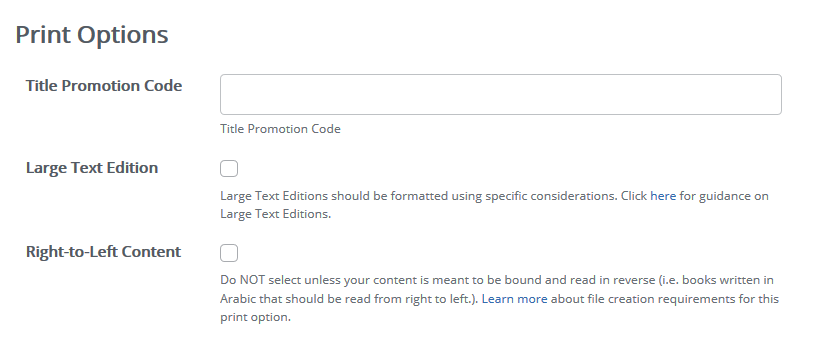
During title setup when providing the metadata, select Right-to-Left Content in the Print Options section.
Interior File:
For RTL interior files, the pages should be set up in reverse page order. The last page of text should be presented as the first page of the PDF and the first page of the text presented as the last page of the PDF. The same rules and requirements for Black and White, Standard Color, or Premium Color Interior files also apply to RTL files.
PDFs must be submitted with an even number of pages to avoid an undesired shifting of interior content pagination.

Cover File:
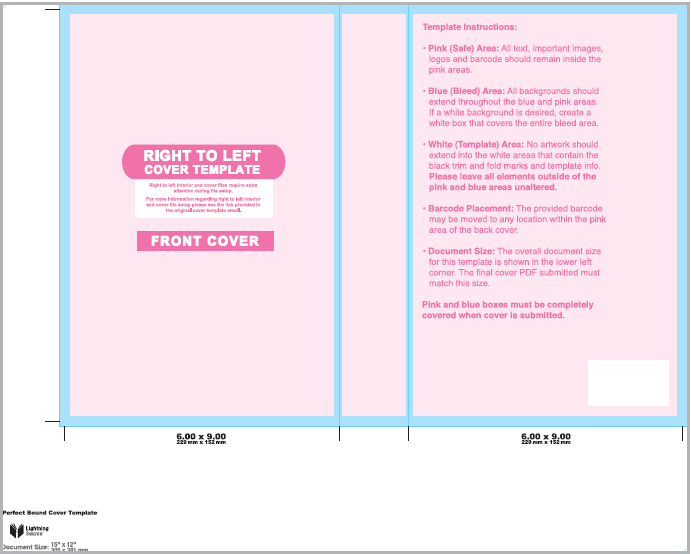
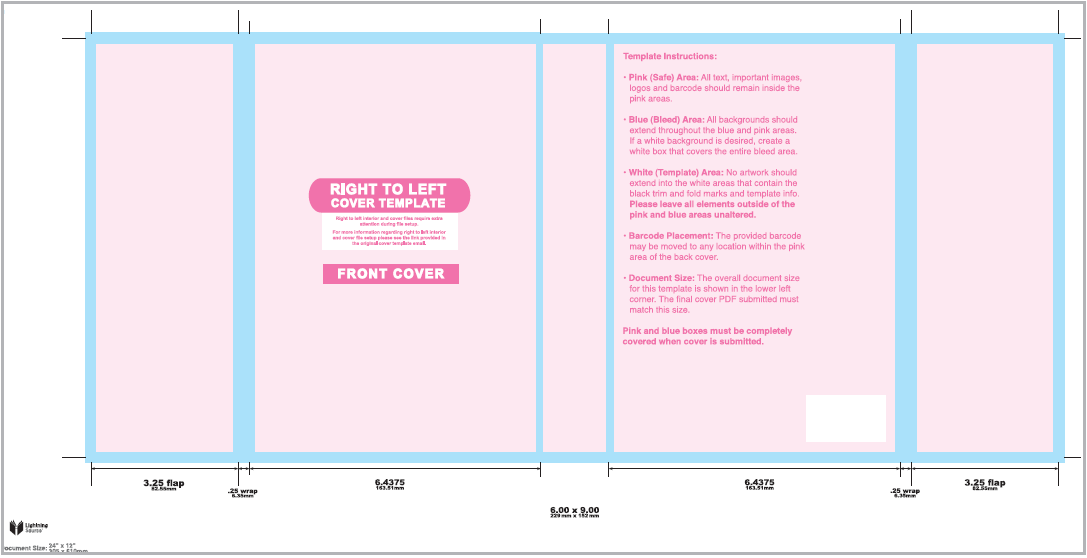
Since RTL books open with the spine on the right, the front cover image will need to be on the left side of the cover template and the back cover would be on the right side of the cover template.
Eproof:
When reviewing the eproof for a RTL book, the full cover spread will have the front cover on the left and the back cover on the right, as on the template. Then as you go through the eproof and get to the front cover only page it will have the front cover, the pages in the correct order for Right-to-Left reading, and then the back cover.
Please note that when the book is produced, the LS barcode page will appear on the first page of the book. This is normal and is a result of the process used in producing reverse-bound books.
For more detailed instructions about file requirements for reverse bound RTL books, please see the File Creation Guide here.
0 Comments